This is WL8. In a C# coded strategy I go:
This adds a few columns to Backtest Results -> Positions:
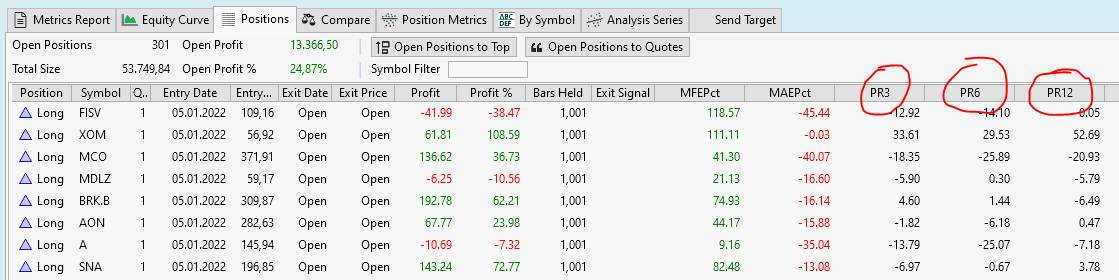
Fine.
Now I go Right Mouse->Copy To Clipboard and paste the Clipboard to Excel.
My valuable new and carefully calculated columns "PR3, PR76 and PR12 are missing in the Excel sheet (!)
I guess the Copy To Clipboard code does not know about Position Metrics :(
I also tried to paste the clipboard to a text editor: Same :(
CODE:
Transaction t = PlaceTrade(bars, TransactionType.Buy, OrderType.Market, price: 0.0,            signalName);
t.SetPositionMetric("PR3", profit3);
t.SetPositionMetric("PR6", profit6);
t.SetPositionMetric("PR12", profit12);
This adds a few columns to Backtest Results -> Positions:
Fine.
Now I go Right Mouse->Copy To Clipboard and paste the Clipboard to Excel.
My valuable new and carefully calculated columns "PR3, PR76 and PR12 are missing in the Excel sheet (!)
I guess the Copy To Clipboard code does not know about Position Metrics :(
I also tried to paste the clipboard to a text editor: Same :(
Rename
Funny, I was just working with strategy assigned PositionMetrics at this very moment. I see they're not copied to clipboard, and added this capability for WL9 Build 3.
Can we fix WL8 as well?
Of course, I'll get this fixed for WL8 as well.
Your Response
Post
Edit Post
Login is required