Greetings!
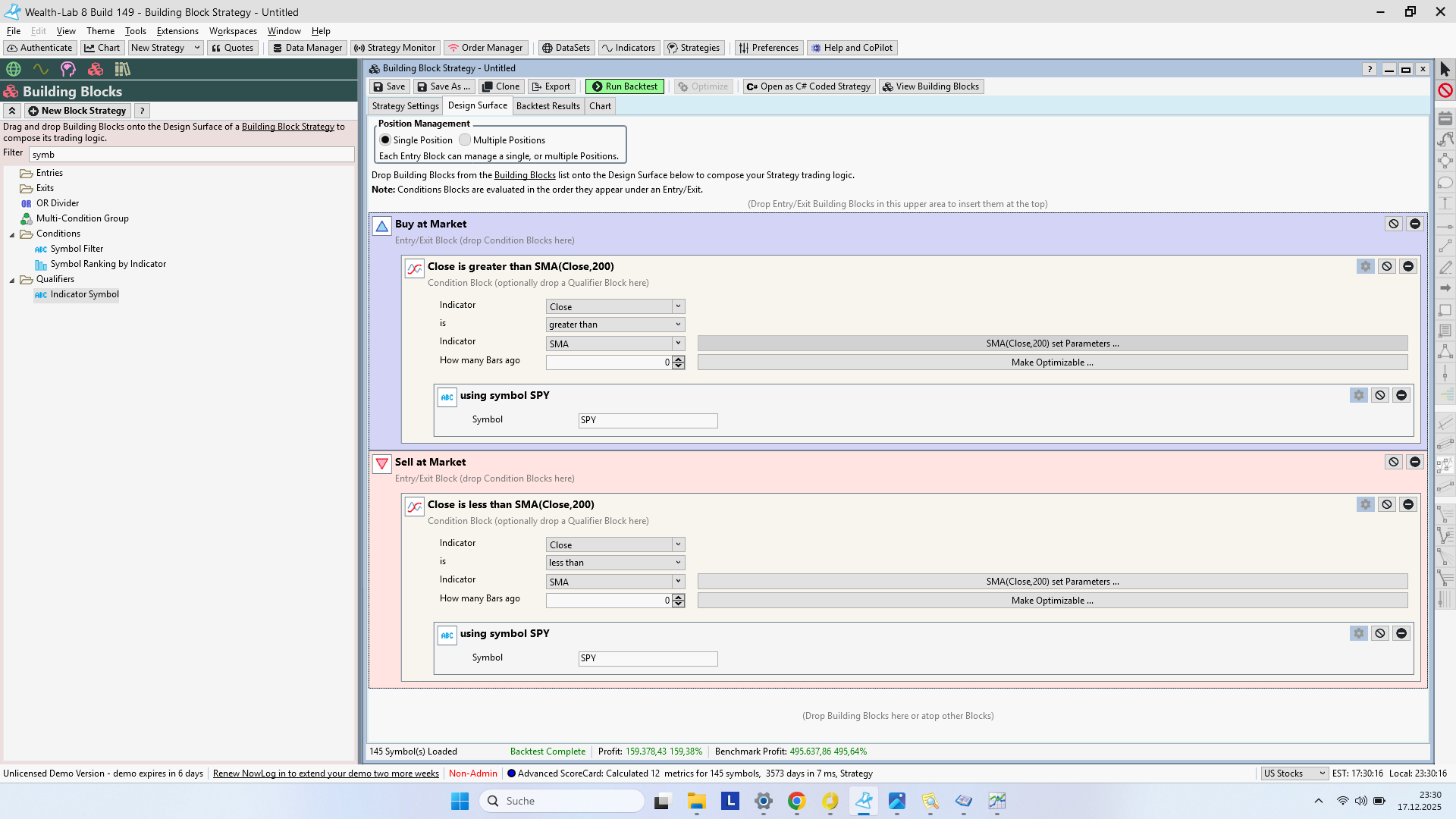
Could you describe what this block does? What does the `using` symbol do?
I thought something like this was used as a pre-filter for a subsequent strategy.
My understanding is that the strategy checks whether the closing price of the SPY is above its 200-day SMA. If so, the main strategy would either buy or not buy, and the same applies to the exit.
However, it seems that the strategy buys the stocks where the closing price is above the SMA, and vice versa for the exit.
Question: What exactly does the `using` symbol do, please?
Rename
It uses the indicator values of the specified ticker to decide the entry/exit rules instead of the ticker(s) you specified in the Backtest data. So your understanding is correct.
I still don't quite understand, let's try an example:
If I apply this strategy to the S&P 100 data set without any additional components and specify QQQ in the `using Symbol` clause, what happens? Which values are then purchased? What rules do the purchased symbols follow?
If I apply this strategy to the S&P 100 data set without any additional components and specify QQQ in the `using Symbol` clause, what happens? Which values are then purchased? What rules do the purchased symbols follow?
It will buy stocks in S&P 100 index when QQQ is above its 200 SMA and sell if QQQ is below its 200 SMA.
Since you do not have any filter or weight logic for the entry rule, if you allow e.g. 10 max positions, and since there are ~100 stocks in the index, the test results will be different across runs. To fix that, rank your candidate in the entry block, example in the screenshot
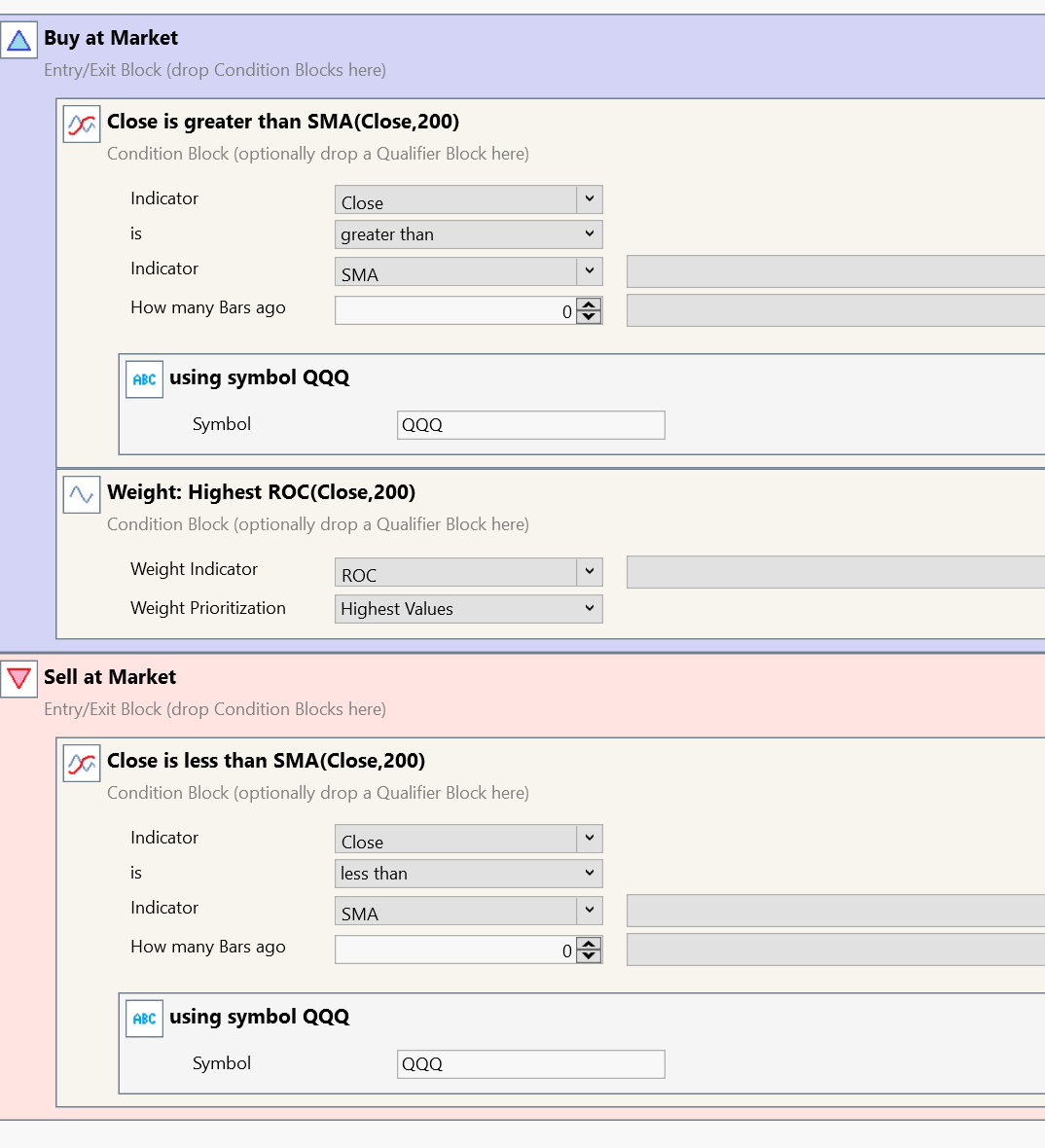
Since you do not have any filter or weight logic for the entry rule, if you allow e.g. 10 max positions, and since there are ~100 stocks in the index, the test results will be different across runs. To fix that, rank your candidate in the entry block, example in the screenshot
Greetings
First of all, thank you very much for your reply.
I think I understand it now. In your example, the system buys when the closing SMA 200 crosses the QQQ from below. It then buys the securities with the highest ROC values (SMA 200), and sells when the closing SMA 200 crosses below it.
So far, so good...
What happens if I add a rule for selling? For example: Sell rule RSI (20) below 40
Nothing happens then. Neither a previously bought symbol is sold when the RSI (20) falls below 40, nor is the QQQ sold when the RSI (20) falls below 40.
It seems that if this "using symbol" rule is integrated into the entry and exit parameters, only these two rules are applied. If you add further rules, they are ignored in the backtest.
Of course, it's possible that I overlooked something when checking the positions.
I would like a block where the market timing strategy described here would be an emergency exit, but other added rules would still apply.
Do you have a solution for what I'm envisioning?
Have I explained that clearly?
First of all, thank you very much for your reply.
I think I understand it now. In your example, the system buys when the closing SMA 200 crosses the QQQ from below. It then buys the securities with the highest ROC values (SMA 200), and sells when the closing SMA 200 crosses below it.
So far, so good...
What happens if I add a rule for selling? For example: Sell rule RSI (20) below 40
Nothing happens then. Neither a previously bought symbol is sold when the RSI (20) falls below 40, nor is the QQQ sold when the RSI (20) falls below 40.
It seems that if this "using symbol" rule is integrated into the entry and exit parameters, only these two rules are applied. If you add further rules, they are ignored in the backtest.
Of course, it's possible that I overlooked something when checking the positions.
I would like a block where the market timing strategy described here would be an emergency exit, but other added rules would still apply.
Do you have a solution for what I'm envisioning?
Have I explained that clearly?
Condition Blocks are ANDed together if they're stacked on top of each other.
You can use the OR Divider to create logical groups.
You can use the OR Divider to create logical groups.
Sorry, but where can I find the "OR" separator or how do I use it?
The built in AI Help Assistant did a good job of answering this one.
TLDR you'll find it in the Building Blocks list. You'll find more info in the WL Help topic, Building Blocks. Type the words "Or Divider" into the Filter box in help to get right to that topic.
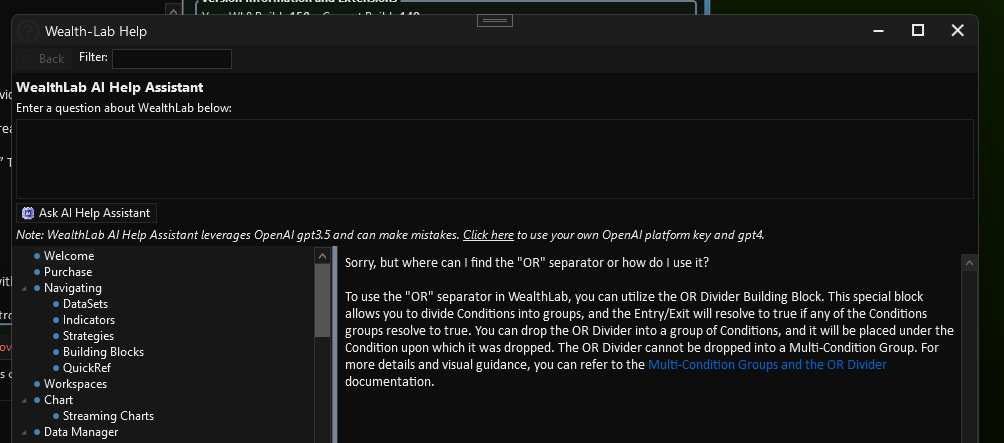
TLDR you'll find it in the Building Blocks list. You'll find more info in the WL Help topic, Building Blocks. Type the words "Or Divider" into the Filter box in help to get right to that topic.
I got it, thank you
Your Response
Post
Edit Post
Login is required