MabeKit Export
Export WealthLab backtest positions and selected Position Metrics—including indicator values—directly to MabeKit for advanced trade analysis and strategy optimization.
All extensions require a WealthLab subscription.
Information
MabeKit Extension
The MabeKit extension exports WealthLab backtest positions and their Position Metrics in a format that can be imported into MabeKit for further analysis and optimization.
Selecting Position Metrics
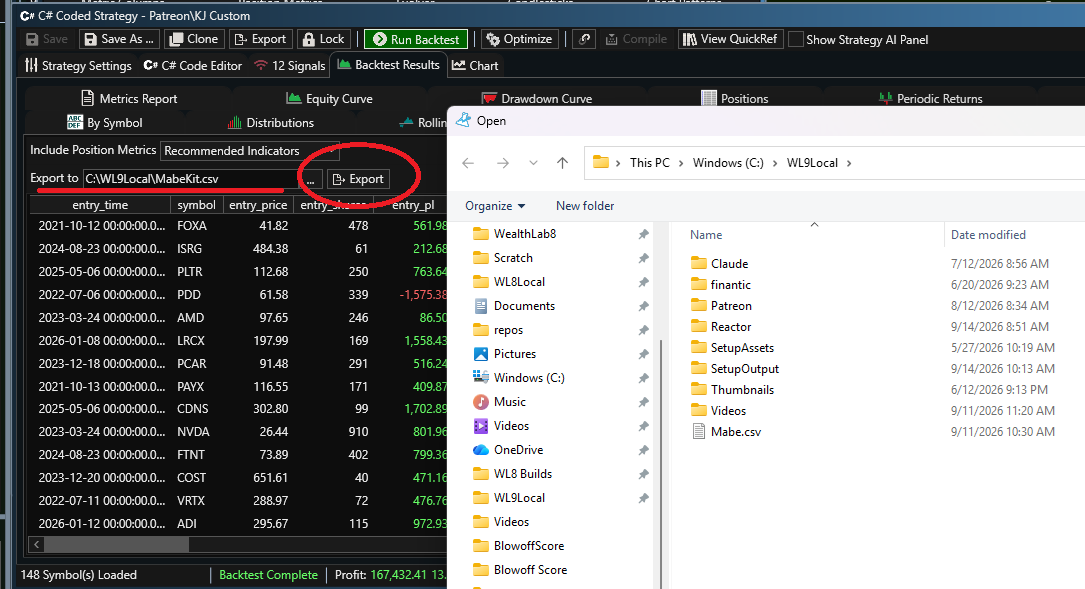
Use the Position Metric drop-down to control which metrics are included in the export:
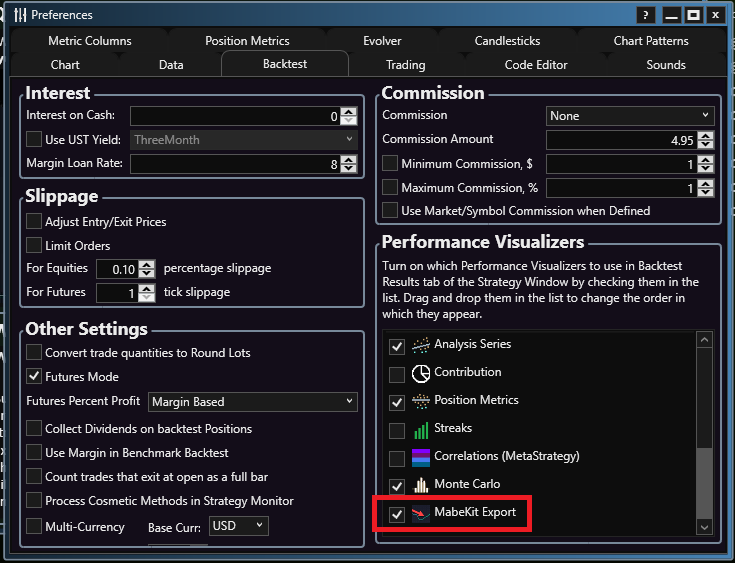
- No Extra Indicators – Includes only the Position Metrics selected in Preferences, Position Metrics.
- Recommended Indicators – Includes the selected Position Metrics plus indicators recommended for use as Position Metrics.
- All Indicators – Includes the selected Position Metrics plus all available indicator-based Position Metrics.
Including additional indicators gives MabeKit more data to analyze, but also increases the time required to generate the columns and the size of the exported file.
Generate Columns
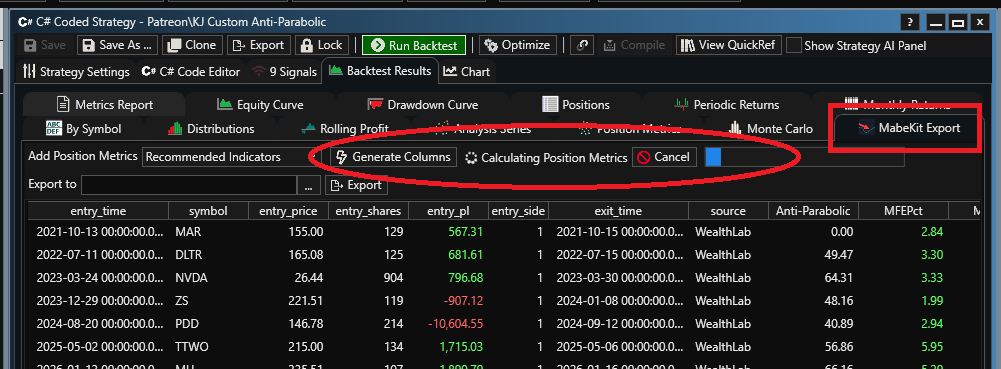
After selecting the desired Position Metrics, click Generate Columns. The extension calculates the required indicator-based metrics in the background and adds the corresponding columns to the positions list. You can monitor the calculation progress while the data is prepared. Wait for the process to complete before exporting. If you change the Position Metric selection, click Generate Columns again to recalculate the metrics and update the columns.
Exporting to MabeKit
When the columns have been generated:
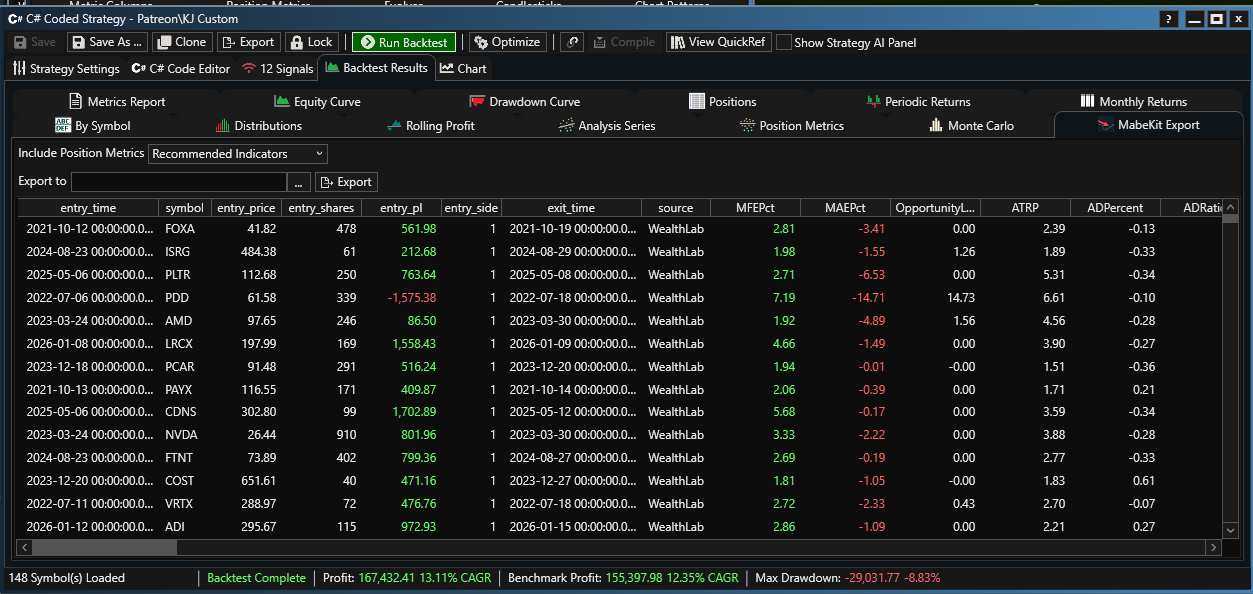
- Specify the destination file name.
- Click Export.
- WealthLab saves the positions and selected metrics in MabeKit-compatible CSV format.
The exported file can then be uploaded to MabeKit for analysis.
Screenshots
Change Log
- Initial release.